Attentive Inventory of Mental Health
1. This test can help us understand your recent life adjustment status.
Each student only has one chance to take the test!
There are no right or wrong answers, so please respond intuitively based on your life over the past two weeks,
so that the results truly reflect yourself! 😊
(A file with illustrated instructions is attached—feel free to download and refer to it!)
Bài test này sẽ giúp mình hiểu được bạn đang thích nghi với cuộc sống gần đây thế nào.
Mỗi bạn chỉ có một lần làm bài thôi nhé!
Không có đáp án đúng hay sai đâu, cứ trả lời theo cảm giác của bạn trong 2 tuần vừa qua,
kết quả mới đúng với chính bạn đó! 😊
(Kèm theo file hình minh họa, bạn có thể tải về xem thêm nha!)
-----------------------------------------------------------------------------------------------------------------------------------------------
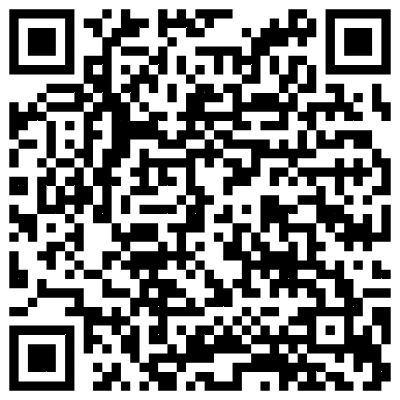
It is recommended to take the test using Google Chrome (both computer and mobile devices are supported). The test website is as follows:
Khuyến nghị bạn làm bài kiểm tra bằng trình duyệt Google Chrome (cả máy tính và điện thoại đều được). Trang web làm bài kiểm tra như sau:
https://aimh.epc.ntnu.edu.tw/
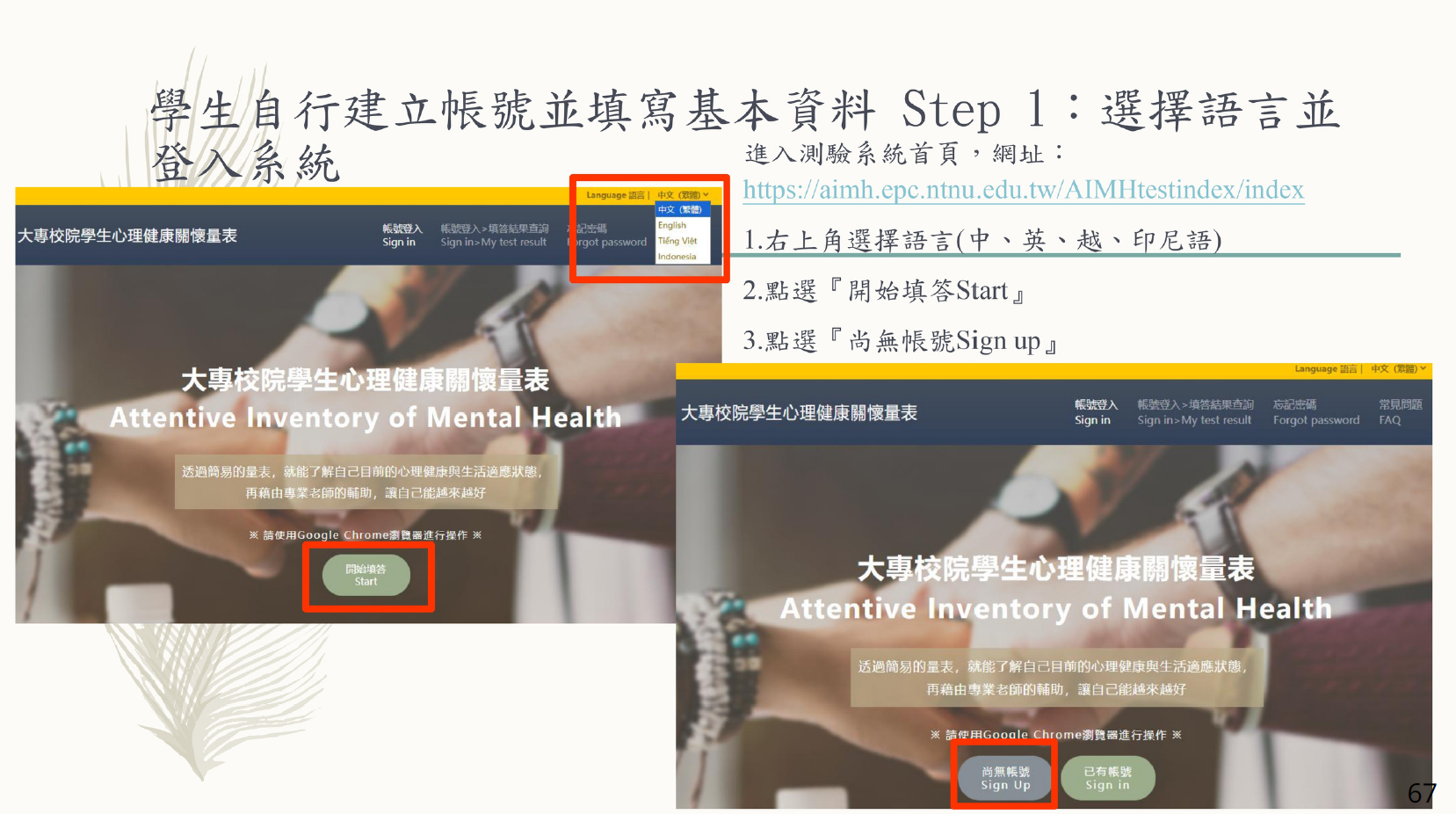
2. For your first attempt, please click “Start” to register and begin the test.
Lần làm bài đầu tiên, vui lòng nhấn vào “Bắt đầu làm bài” để đăng ký và bắt đầu làm bài kiểm tra.
3. Enter your personal registration information (school name, full name, student ID, password, phone number, and email). Please make sure all the information on this page is correct before submitting.
Note: The system allows only one test per student ID.
Nhập thông tin đăng ký cá nhân của bạn (tên trường, họ và tên, mã số sinh viên, mật khẩu, số điện thoại và email). Vui lòng đảm bảo tất cả thông tin trên trang này là chính xác trước khi gửi.
Lưu ý: Hệ thống chỉ cho phép mỗi mã số sinh viên làm bài một lần.
4. Please read the Test Consent Form. You must select Agree to proceed with the test. If you select Disagree, you will be redirected away from the page.
If follow-up support is needed based on your test results, a counselor from the Counseling Center will contact you. All communications will be kept confidential to protect your personal privacy.
Vui lòng đọc Giấy đồng ý làm bài kiểm tra. Bạn phải chọn Đồng ý để tiếp tục làm bài. Nếu chọn Không đồng ý, bạn sẽ được chuyển ra khỏi trang web.
Nếu kết quả bài kiểm tra cần được theo dõi và quan tâm, giáo viên từ Trung tâm Tư vấn sẽ liên hệ với bạn. Mọi thông tin liên lạc sẽ được bảo mật để bảo vệ quyền lợi cá nhân của bạn.

5. The basic information is mainly used for school statistical purposes. Please select the options according to your actual situation before submitting.
Thông tin cơ bản chủ yếu được sử dụng cho mục đích thống kê của trường. Vui lòng chọn các tùy chọn theo tình trạng thực tế của bạn trước khi gửi.
6. Read the Instructions for Completing the Test. If you have no questions, click “Start Test” to begin.
Đọc Hướng dẫn làm bài. Nếu không có thắc mắc, nhấn “Bắt đầu làm bài” để bắt đầu.
There are 53 questions in total. Please select the options that match your situation for each question, and submit when finished.
If the “Submit Answers” button does not work, please check if any of the 53 questions were left unanswered.
Tổng cộng có 53 câu hỏi. Vui lòng chọn các tùy chọn phù hợp với tình trạng của bạn cho từng câu hỏi và gửi khi hoàn tất.
Nếu nút “Gửi câu trả lời” không hoạt động, vui lòng kiểm tra xem có câu hỏi nào trong 53 câu chưa được trả lời không.
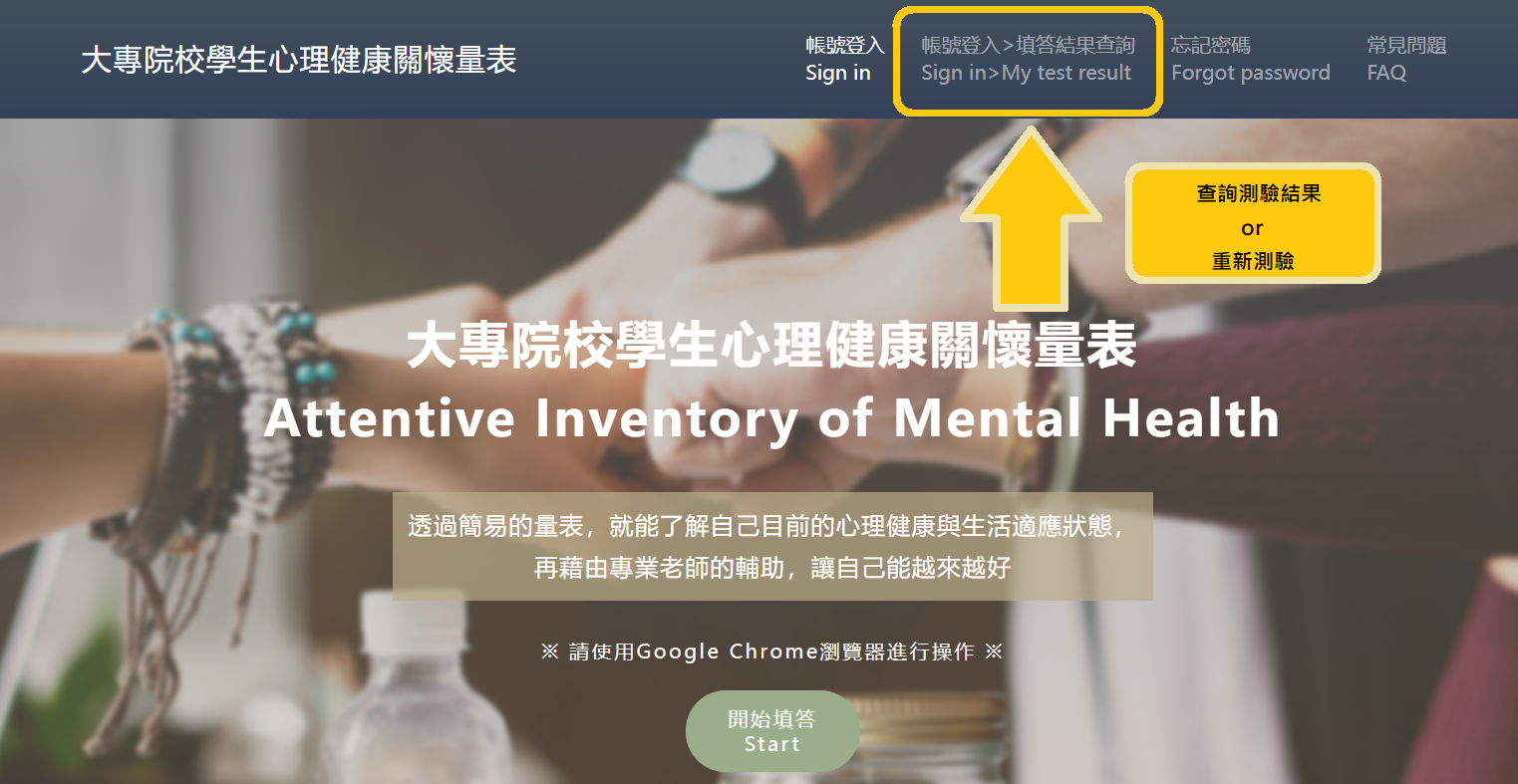
8. Click “View Test Results” to read a brief explanation of the results, or see your adjustment status in 12 different areas (Red, Yellow, Green).
Nhấn “Xem kết quả bài kiểm tra” để đọc phần giải thích ngắn gọn về kết quả, hoặc xem tình trạng thích nghi của bạn trong 12 lĩnh vực khác nhau (Đỏ, Vàng, Xanh).

🙋♂️If you have any questions about the assessment process or results, please contact Ren Jie Peng, Counselor at the Counseling Center.🙋♂️
💌rjp329@must.edu.tw